Descript Review 2026: Is Editing Video Like a Doc Still Worth It?
Descript — 7.7/10
The fastest way to edit podcasts and talking-head video by editing the transcript, but its media-minute and AI-credit model since 2025 makes costs hard to predict.
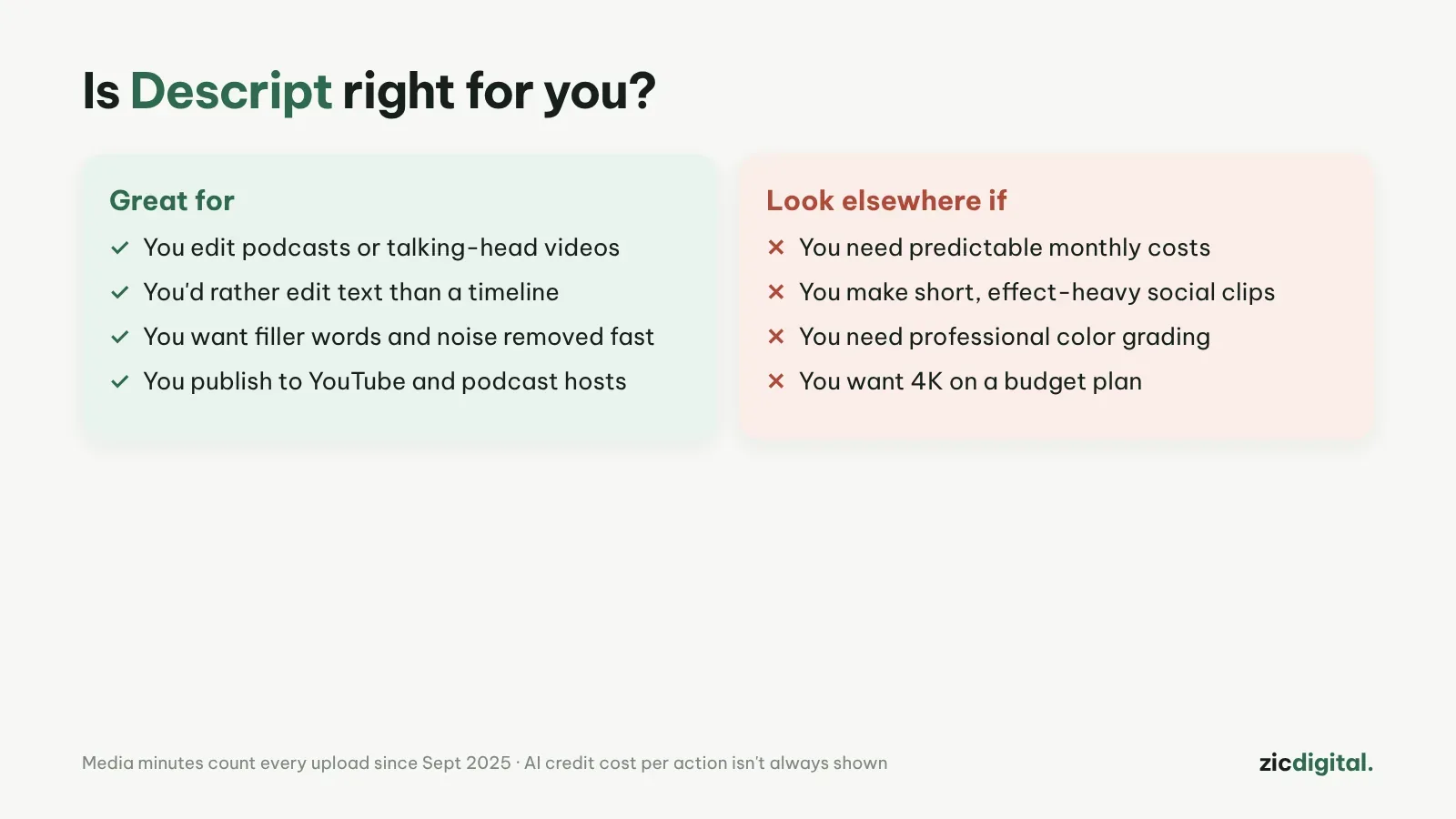
- You make podcasts or talking-head videos
- You'd rather edit text than drag a timeline
- You want filler words and noise gone fast
- You need fixed, predictable costs
- You make short clips packed with effects
- You need professional color grading
Edit video by editing the transcript; excellent AI voice cleanup
Media minutes and AI credits run out fast; users report bugs and slowdowns with big files
Checked the official pricing page and public user feedback on Oct 29, 2026
What Descript is
A video and podcast editor for desktop and web. Descript turns speech into text; delete a word and the matching piece of video is cut too.
Strengths
- Editing talking-head video is much faster than dragging a timeline
- Removes filler words and cleans up voices (Studio Sound)
- Captions, show notes and the Underlord AI assistant
Pricing
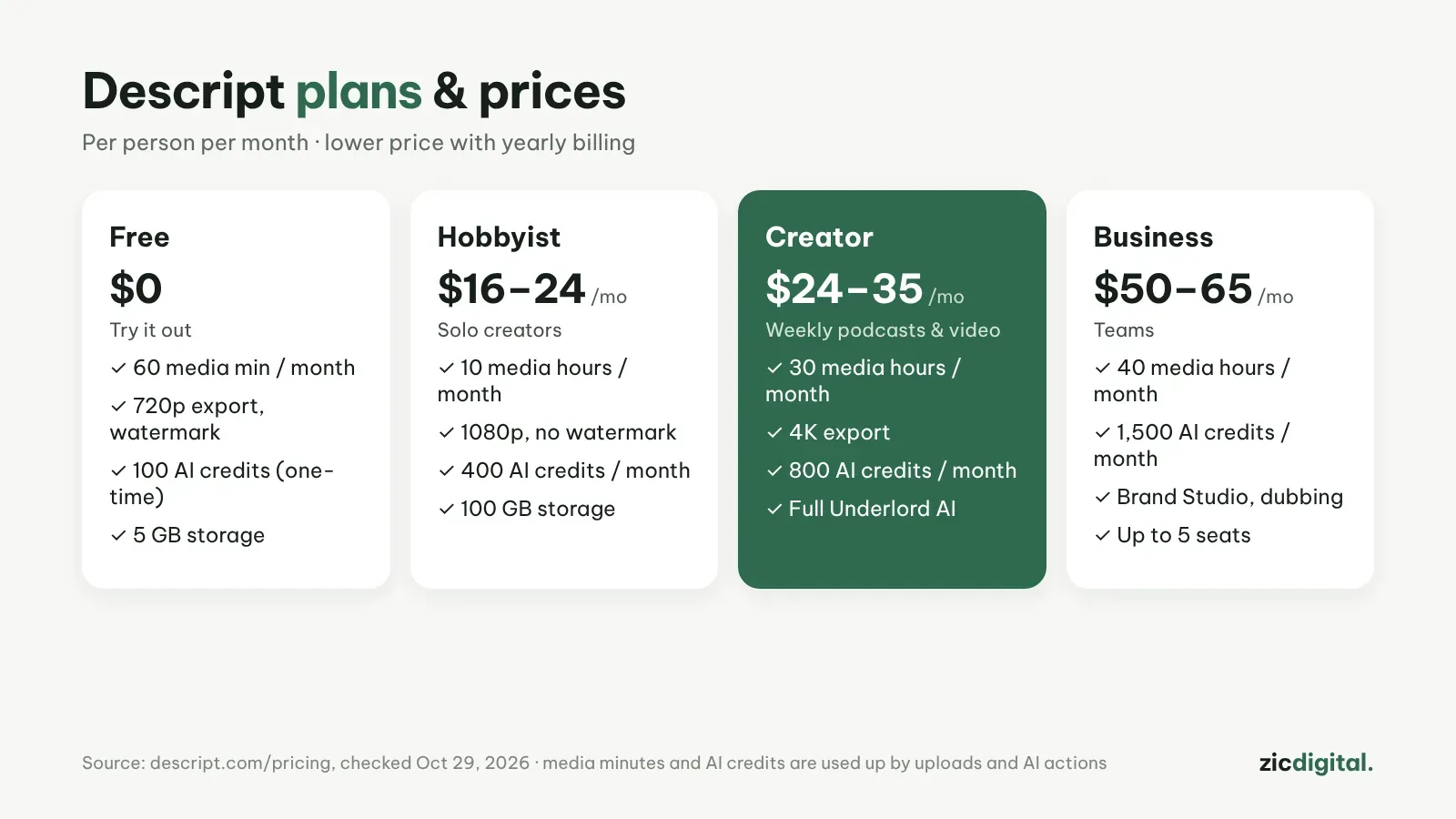
The pricing page on October 29, 2026 listed Free, Hobbyist at $16–24, Creator at $24–35 and Business at $50–65 per person per month, with the lower price for yearly billing. The free plan exports 720p with a watermark; 4K needs the Creator plan.
Watch out for
Since September 2025 every uploaded file counts against your media minutes, and each AI action uses credits that the app doesn't always show clearly. Many users complain about unpredictable costs and slowdowns or bugs with large files.
Verdict
A great fit for podcasts and talking-head video. For short, effect-heavy clips CapCut is easier — see CapCut vs Descript.
How-to: Editing by text in Descript
Pairs well with: ElevenLabs – Natural AI voiceover