Canva vs Clipchamp 2026: Design Tool or Real Video Editor?
Canva shines at design, templates and thumbnails; Clipchamp is a real video editor on Windows. Compare video editing, captions, watermarks and cost.
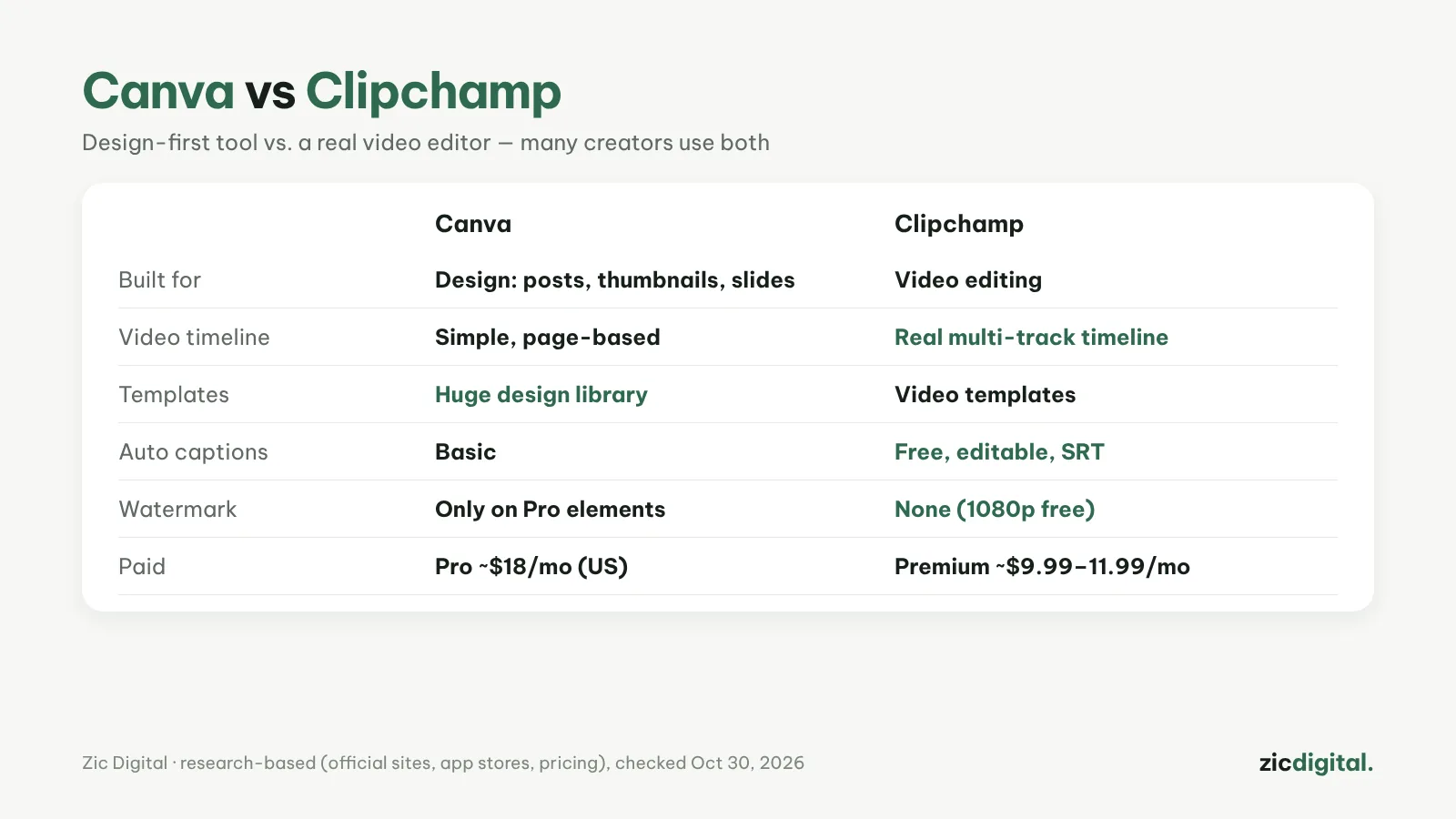
These two are often compared because both are easy and both make video, but they come from different places. Canva is a design tool that added video; Clipchamp is a video editor with a real timeline.
Choose Canva if
- You make thumbnails, posts, slides and design-style short videos
- You need a huge template library and a brand kit
- You work on the web, a phone or a Mac
Choose Clipchamp if
- You need real video editing on a multi-track timeline
- You need editable auto captions and an SRT file
- You're on Windows and want free 1080p exports with no watermark
Cost
Canva is free; a watermark only appears on Pro elements. Canva Pro is about $18/month in the US (less yearly; prices vary by country). Clipchamp exports 1080p for free; Premium is about $11.99/month or $9.99/month billed yearly, and comes with Microsoft 365.
Verdict
Graphics and template-style videos: Canva. Talking videos with many scenes: Clipchamp. The best combo: thumbnails in Canva, editing in Clipchamp.
Comparison based on official sites, app stores and pricing, checked October 30, 2026 — no affiliate links.
Read more: Canva review · Clipchamp review · Best free video editors for Windows · Captions in Clipchamp · Free video editors with no watermark