Free Video Editors With No Watermark in 2026: Clean Exports for $0
Nine popular video editors ranked by their free exports: which ones export clean with no watermark, and which make you pay to remove the logo.
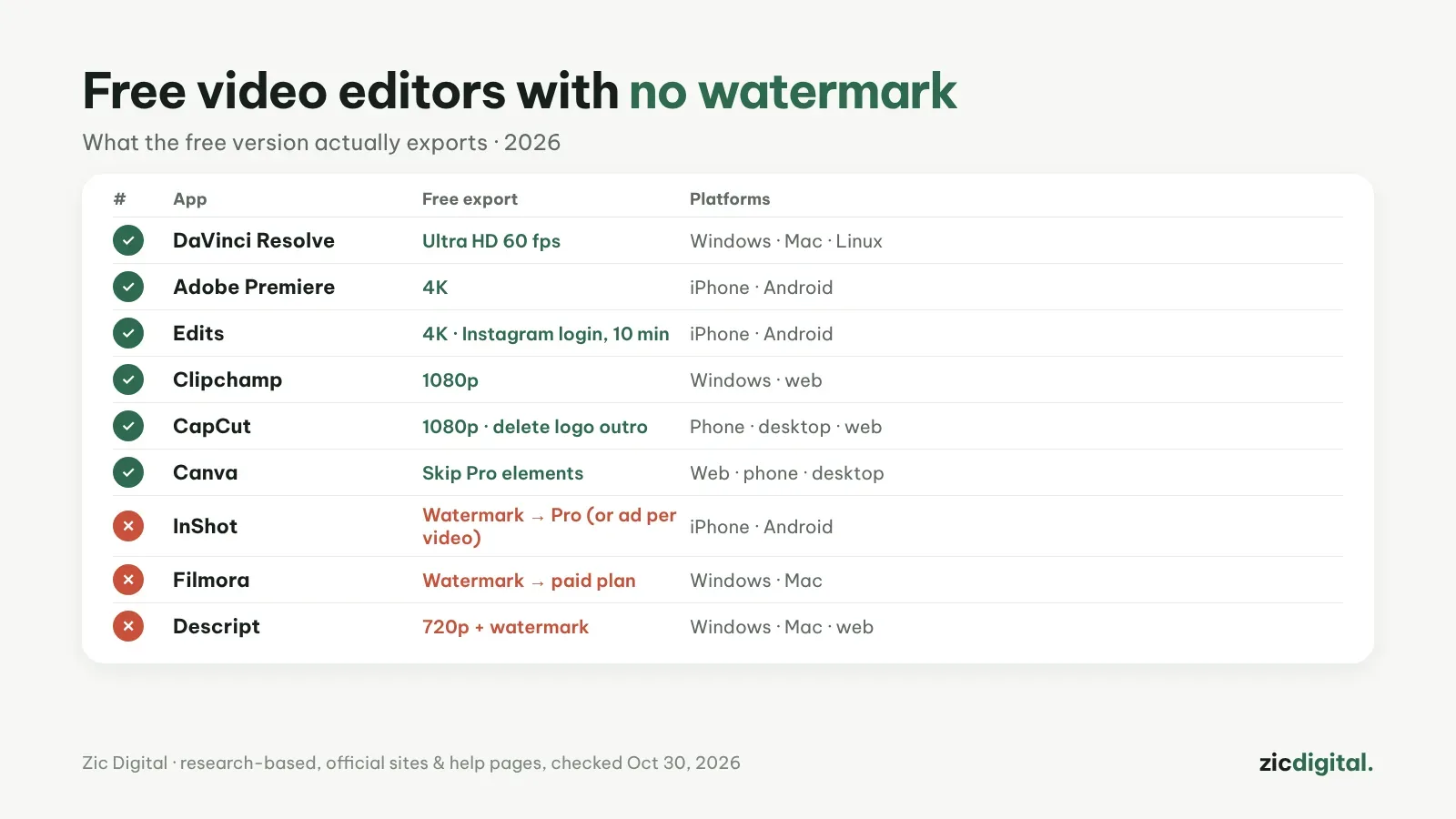
Watermarks are the number one reason people end up paying for a video editor. This list only looks at the free version: what resolution you can export and whether a logo comes with it.
Free export, no watermark
1. DaVinci Resolve
Windows, Mac, Linux — up to Ultra HD 60 fps, no watermark, no length limit.
DaVinci Resolve review · How-to: DaVinci Resolve export settings for YouTube
2. Adobe Premiere (mobile)
IPhone, Android — up to 4K, no watermark.
Adobe Premiere review · CapCut vs Adobe Premiere
3. Edits
IPhone, Android — up to 4K, no watermark; needs an Instagram account, 10-minute limit.
Edits review · CapCut vs Edits
4. Clipchamp
Windows, web — 1080p with no watermark; 4K needs Premium.
Clipchamp review · CapCut vs Clipchamp
5. CapCut
Phone, desktop, web — up to 1080p, mostly no watermark; delete the logo outro and avoid Pro assets.
CapCut review · How-to: CapCut export settings
6. Canva
Web, phone, desktop — no watermark on video as long as you skip Pro elements (crown icon).
Canva review · CapCut vs Canva
Free version adds a watermark
7. InShot
Watermark; remove with Pro, and some versions let you watch an ad per video.
InShot review · How-to: removing the InShot and Filmora watermark
8. Filmora
Watermark; buy a plan, then re-export from the project.
Filmora review · How-to: removing the InShot and Filmora watermark
9. Descript
720p with a watermark; removed on paid plans.
Descript review · CapCut vs Descript
Skip modded or cracked apps and AI logo removers: malware risk, smeared footage and a breach of the terms. See how to remove a watermark the right way.
By device: phones · Windows. Same guide series: Free auto caption apps. All options: 8 best CapCut alternatives.
Based on official sites, help pages and pricing, checked October 30, 2026 — no affiliate links.
The full YouTube creator toolkit: YouTube Creator Toolkit 2026