DaVinci Resolve vs Filmora 2026: Free Power or Easy Effects?
DaVinci Resolve vs Filmora on desktop: free versions, learning curve, effects, color grading and cost — which editor to pick.
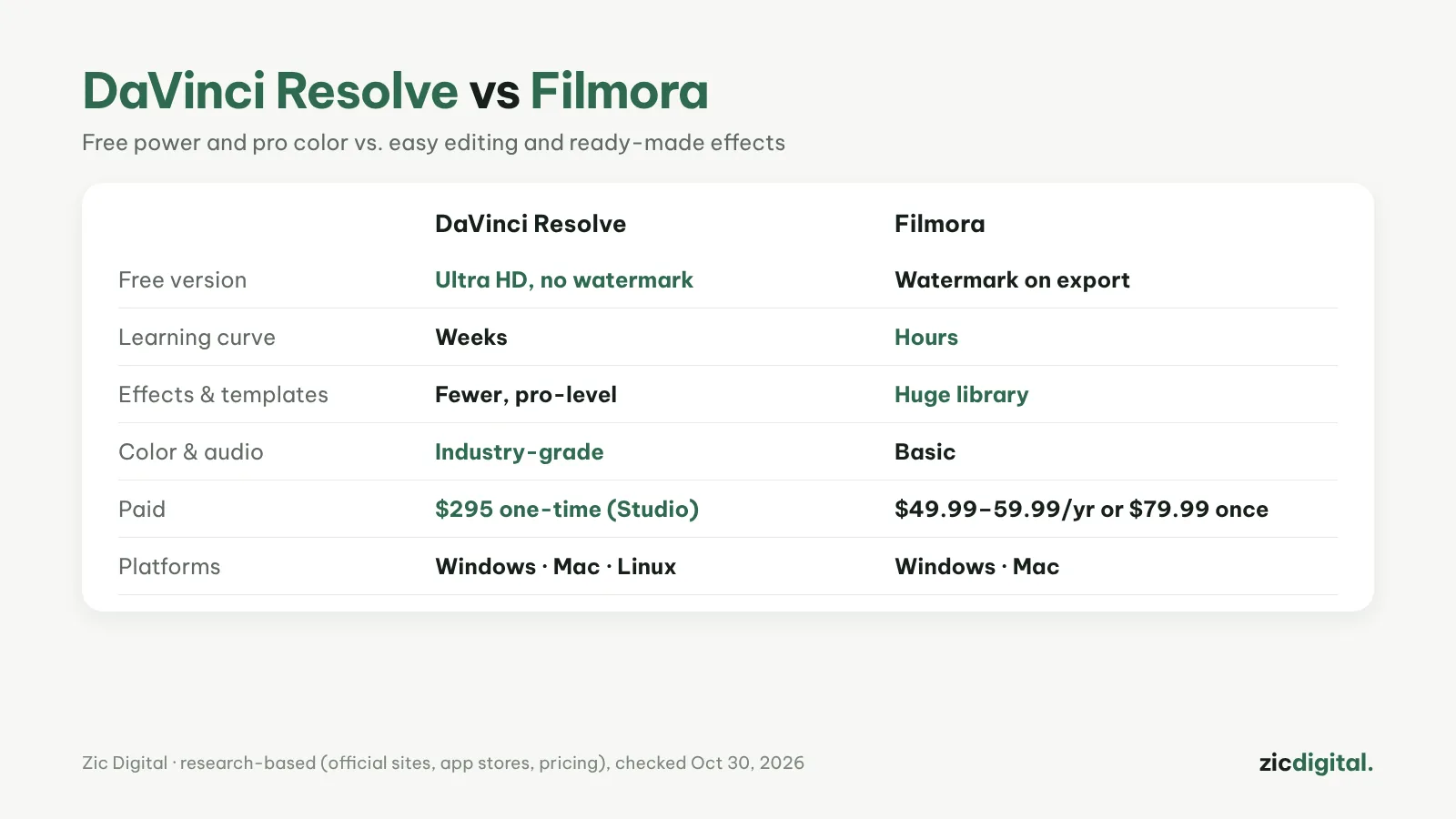
Both are desktop video editors, but they go in opposite directions. DaVinci Resolve gives you professional power for free in exchange for a long learning curve. Filmora is easy and full of effects, but clean exports cost money.
Choose DaVinci Resolve if
- You want exports with no watermark for $0 (up to Ultra HD)
- You care about professional color and audio
- You'll spend a few weeks learning and have a decent graphics card
Choose Filmora if
- You need to edit fast with ready-made effects, transitions and templates
- DaVinci feels too complex
- You use AI tools like subtitles and voices and accept yearly billing
Cost
DaVinci Resolve is free; Studio is $295 one-time. Filmora is free with a watermark; Basic is about $49.99/year, Advanced $59.99/year, or $79.99 one-time (Windows). Filmora plans auto-renew — turn that off if you're unsure.
Verdict
Free for the long run: DaVinci Resolve. Good-looking videos fast and happy to pay: Filmora.
Comparison based on official sites, app stores and pricing, checked October 30, 2026 — no affiliate links.
Read more: DaVinci Resolve review · Filmora review · Best free video editors for Windows · DaVinci Resolve export settings for YouTube · Removing the InShot and Filmora watermark