Canva Pricing 2026: Free, Pro or Business — Which Plan Do Creators Need?
Canva’s plans in October 2026: what the free plan does, Pro at $18/month or $144/year, per-person Business pricing, and how to pick a plan for the way you run your channel.
Canva’s free plan is generous, so the real question isn’t whether you need Canva but whether you need to pay for it. Here is a summary of the plans at US list prices in October 2026, with advice on picking one for the way you create.
Current prices
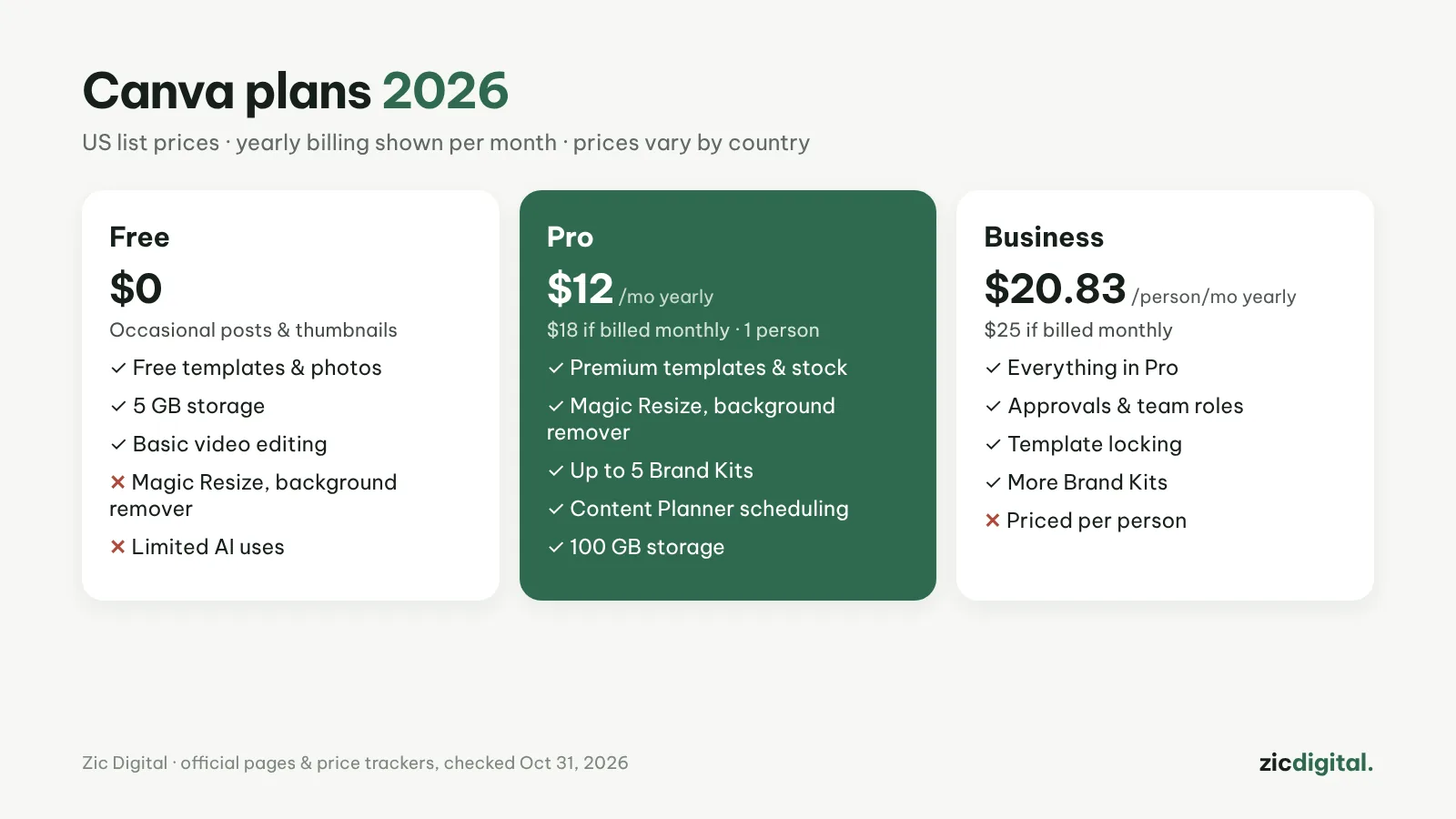
At US list prices recorded by price trackers on October 30, 2026: Free is $0; Pro is $18/month billed monthly, or $144/year (about $12/month) for one person; Business is $25 per person per month, or about $20.83 per person per month billed yearly; Enterprise is quoted. Pro’s yearly price dropped from $180 to $144 in September 2026. Prices vary by country, so check the final price on canva.com before buying.
Free: for a few designs a week
You get free templates and photos, basic video editing, PNG, JPG, MP4 and PDF downloads and 5 GB of storage. You can still make good thumbnails and posts. What’s missing: premium templates and photos, background removal, one-click resizing for multiple networks, and AI uses are limited.
Pro: for creators who post regularly
Adds premium templates and stock, background removal, transparent PNG downloads, Magic Resize to turn one thumbnail into a post or story, up to 5 Brand Kits for your channel’s colors and fonts, scheduling with Content Planner and 100 GB of storage. If you publish every week and want consistent visuals, yearly Pro is the most sensible choice.
Business: when 2–3 people design together
Everything in Pro plus approvals, roles, locked templates so nobody edits them by mistake, and more Brand Kits. Business is priced per person: a team of three paying yearly spends about $750. If only one person designs and the others just view, you usually don’t need Business.
Yearly or monthly?
Yearly is about a third cheaper for Pro. Use the free plan or pay monthly for 1–2 months first, and switch to yearly once you know you’ll use it. If you cancel, your designs stay, but Pro elements in them will need to be bought or replaced when you want to download them.
Quick pick
- A few thumbnails a month: Free
- Weekly videos, need background removal, Brand Kit and resizing: Pro, billed yearly
- 2–3 people designing together with approvals: Business
Quick answers
Is there a free plan for teachers or nonprofits? Yes, through Canva for Education and Canva for Nonprofits; you need to apply and be verified by Canva.
Should I buy Canva Pro just for thumbnails? If you only make a few thumbnails a month, the free plan is enough. Pro pays off when you remove backgrounds often and want every video to share one style — see how to make YouTube thumbnails in Canva.
Can Canva replace a video editor? For simple videos, yes; for multi-scene videos use CapCut — see CapCut vs Canva and CapCut pricing 2026.
Based on Canva’s pages and price trackers, checked October 31, 2026 — no affiliate links.
Read more: Canva review · Canva vs Clipchamp · YouTube creator toolkit 2026
Keep reading
- How to Make YouTube Thumbnails in Canva (2026): Step by Step, Right Size
- YouTube Creator Toolkit 2026: From Idea to Upload
- Best Free Video Editors for Windows in 2026
- Free Video Editors With No Watermark in 2026: Clean Exports for $0
- Canva vs Clipchamp 2026: Design Tool or Real Video Editor?
- 8 Best CapCut Alternatives in 2026 (Free & Paid)